

The break function is so easy
To let everyone know when the session will resume after a pause, a break can be created in the Campus App. Here we show you how to do it.
To be able to create a break, you must first join the respective lecture.
Create break
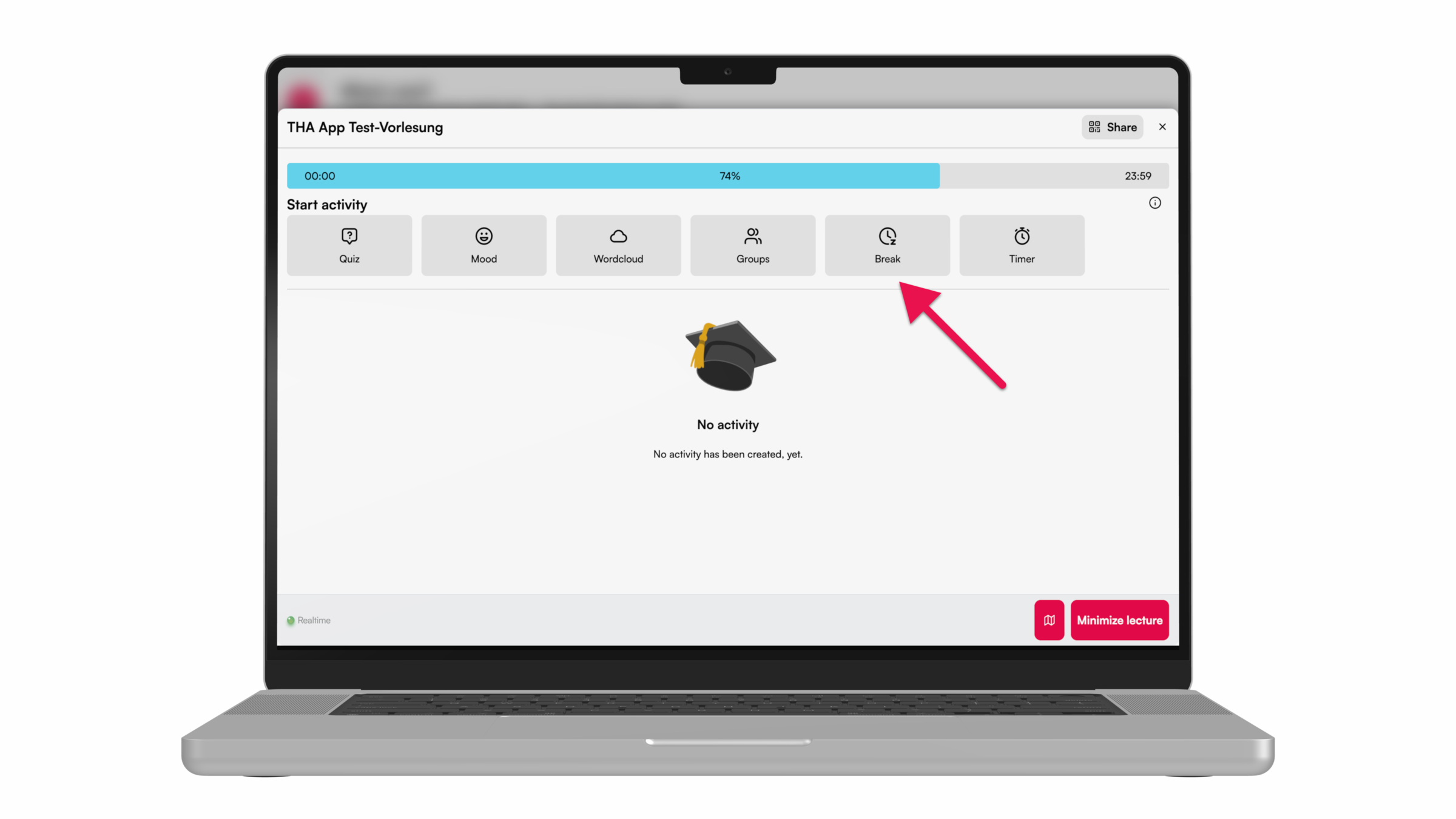
❶ The “break” can be found in the activity overview.
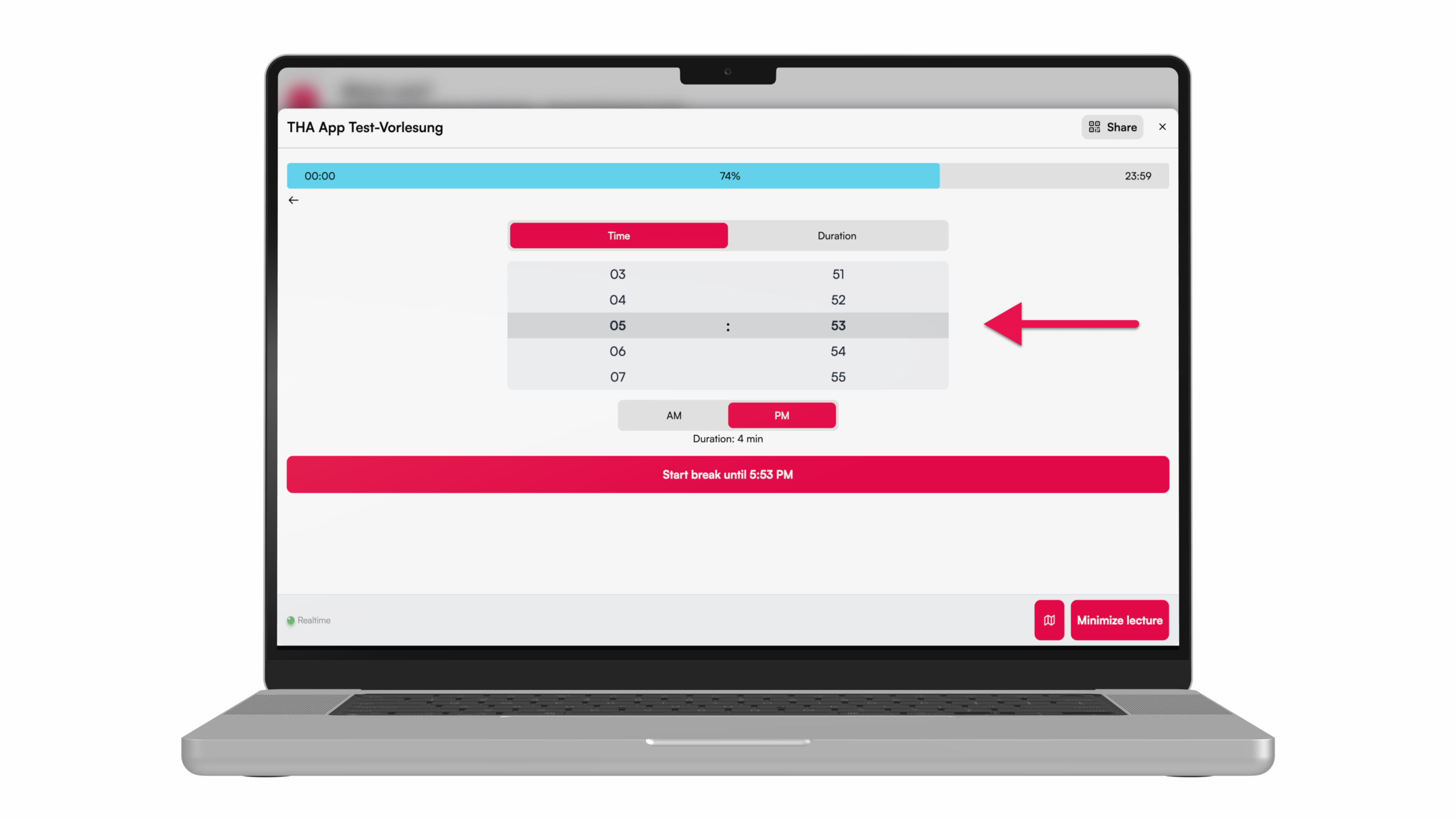
❷ You can now choose either a specific time marking the end of the desired time period or a duration for how long the timer should run.
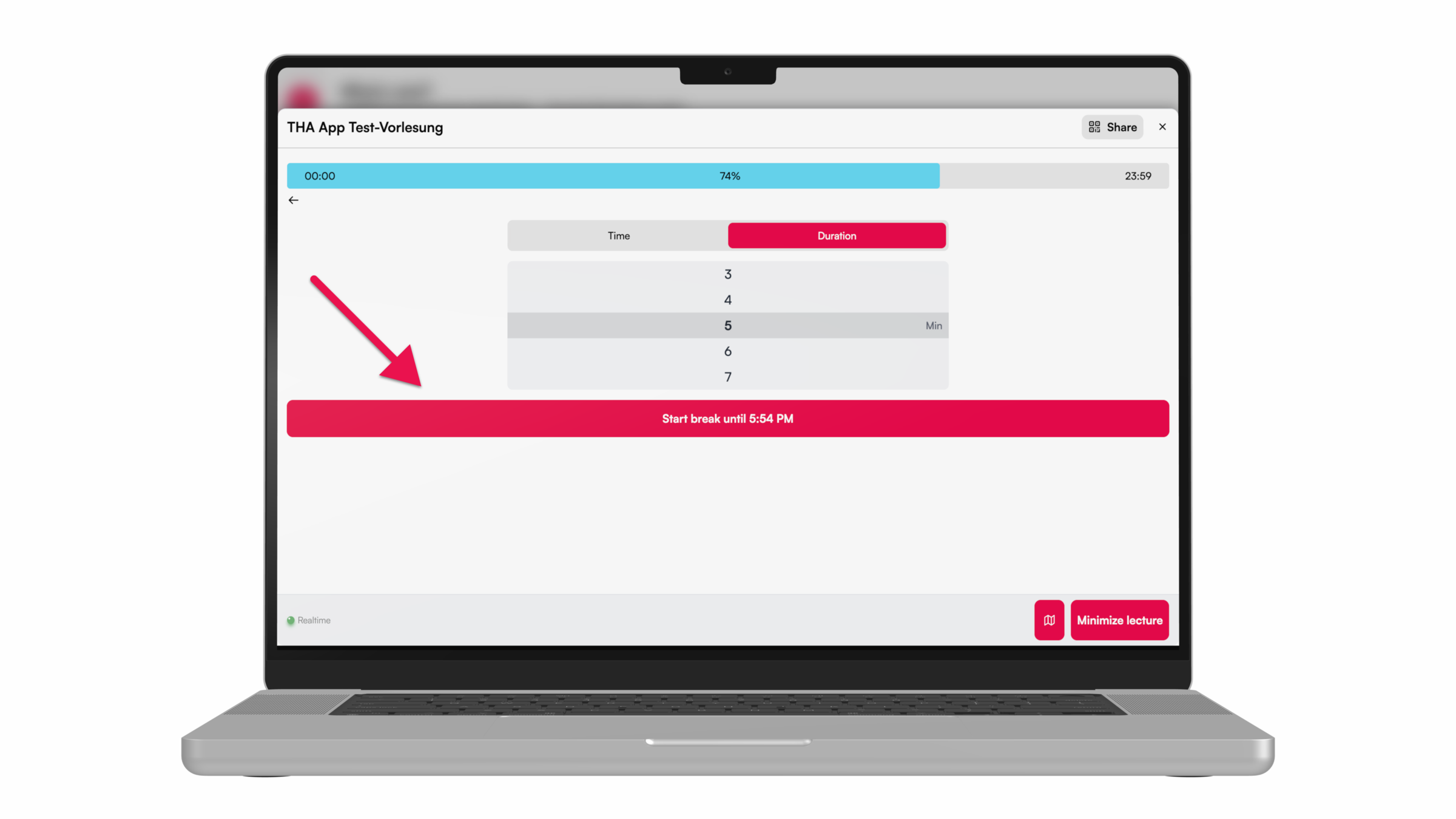
❸ Afterwards, the break can be started, and the countdown begins to run.
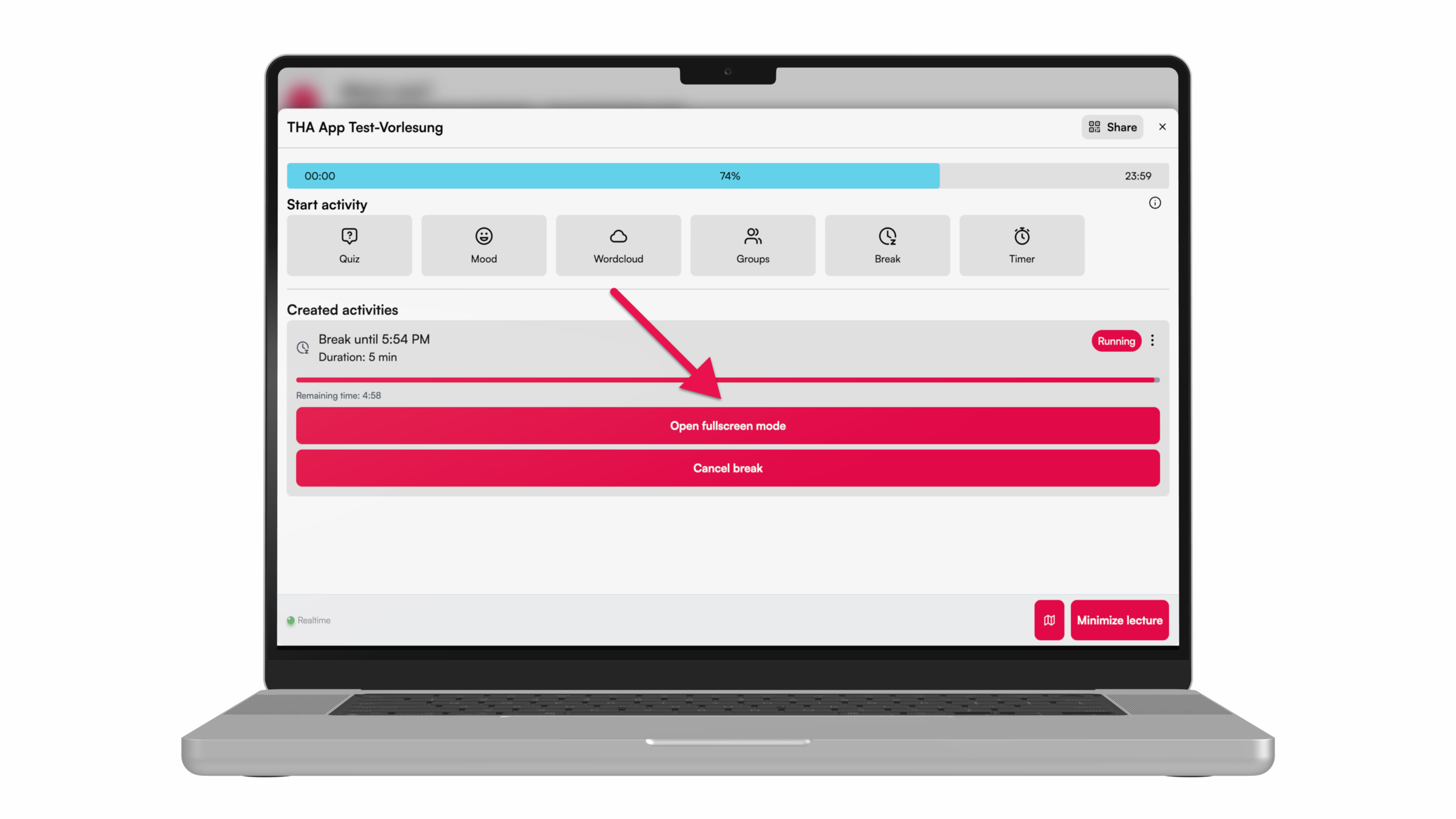
❹ While the break is running, the countdown can also be displayed in fullscreen mode.
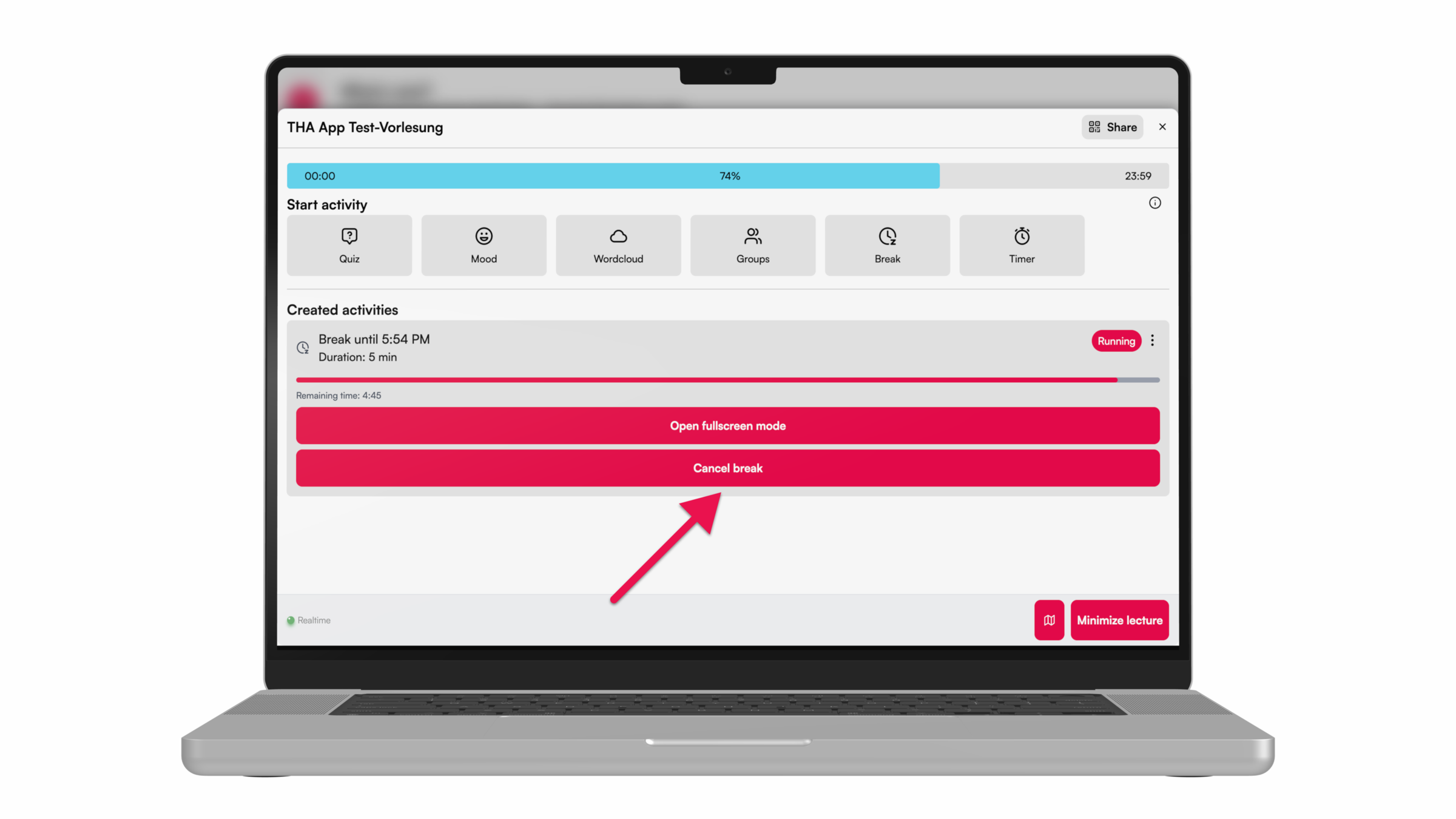
❺ The break ends when the countdown reaches zero or by clicking on "cancel break."